AI Creators Tools Directory
Featured Tools


And for stuff like cost estimates or portrait prompts there’s handy tools to make your work easier. If you're into AI filmmaking, ads, social media content, or educational videos, this site is built to point you to the right tools—and help you use them effectively.
Latest Tools

Kaze AI
Kaze AI is a browser based AI image and video platform. It lets users improve, fix and change photos using simple prompts or one click tools, create AI videos from templates and more.

Morphic
Morphic is an AI-powered storytelling platform that lets creators generate, animate, and edit images, videos, and audio in a unified workflow with precise control over cinematic content creation.
ArtCraft
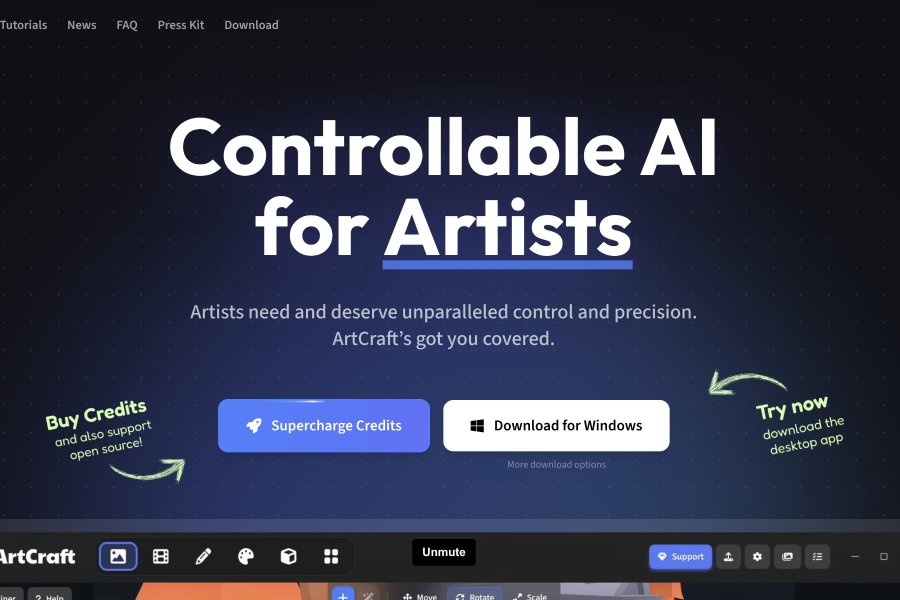
ArtCraft is both a local open source and a subscription-based online AI studio for interactive images, videos, 3D assets creation built for creatives who want more control.

Sonauto
Sonauto presents itself as a simple way to make full AI songs, even if you don’t have much music skill.

Revid AI
Revid AI is a browser based platform that turns text images and voice into short videos using a flexible credit system. Turn your creative ideas into attention-grabbing TikTok, Instagram, and YouTube stories with just a few clicks.

ChatCut
Agentic video is here. ChatCut gives you talking head editing, incredible motion graphics, state-of-the-art music generation, and Seedance 2.0 video generation.
Latest News
Industry News: Nano Banana 2 can now use video as input.
You can add a video and it makes images that match the scene and context.
It can make thumbnails and infographics from your footage.
It keeps characters and style consistent.
You can also edit the output with a reference image and a prompt.
Google Gemini App: Google Gemini Omni is a new multimodal AI video system that came out at Google I/O 2026. Unlike older video models from Google, like Veo, Omni is a single "create anything from anything" system. That means it can make and edit videos using a mix of text, images, audio, and videos you already have.
LTX Studio: Introduces Flows - a node-based canvas inside LTX Studio. Create any visual generation workflow, then run it in batches, at scale.
Build the creative logic once. Execute it as many times as you need.
ImagineArt: Campaign Director is a new tool made to handle the entire creative process for marketing from a single prompt. It does away with the need to use five different apps and manages everything internally, even the complex stuff like pacing and brand consistency without you needing to step in.
ElevenLabs: ElevenLabs launched ElevenMusic today. It’s a new app that lets users find, remix and create music on their own: they can shape tracks, mix ideas and make new stuff.
MuAPI: MuAPI released dropsAI Clipping API. It detects and clips main subjects from images or videos.
It helps make clean visual assets you can use right away. It can also help with content work, editing and automation.
Midjourney: Midjourney shared two quick updates about its V8.1 version. The update makes image quality and sharpness better, mainly with SREFs, moodboards and HD images, but you’ll see it overall too...
And V8.1 is now available on both their main website and Discord, so users can access it in either place.
New Prompt Tests & Comparisons


Horse in bubble bath cheerful singing

Identity consistency test split frame layout


Handheld pov gunfight in abandoned dam ruins
Latest AI Models
Keep track of which new AI models are being released. Here are some fresh drops:

Testing out a new groove in this 'weirdcore' music video. A strange blend of Organic House and accordion. Music generated locally, video by one of the SOTA AI video models. If you'd like to know which AI models were used - please ask in the YouTube comments section.
Watch on YouTubeExplore Quick AI Video Templates & Effects
Right now, logged-in users can rate and save their favorite tools, see links to higher resolution videos, commend on AI models comparisons, subscribe to the newsletter. It’s perfect for staying informed on what's happening in the creative AI world, keeping track of what works and sharing your top picks with others.